How to Reset a Whirlpool Dishwasher: A Step-by-Step Guide
Dealing with a malfunctioning Whirlpool dishwasher can be frustrating, especially when it refuses to start or shows blinking lights. If you’ve tried everything and it’s still not working, you’re not alone—many people struggle with this common issue.
Luckily, a simple reset can often fix the problem and get your dishwasher back in action.
If your Whirlpool dishwasher won’t start, shows blinking lights, or has unresponsive buttons, you can reset it easily. First, try a power cycle by unplugging it or turning off the breaker for 5 minutes, then restore power to reboot.
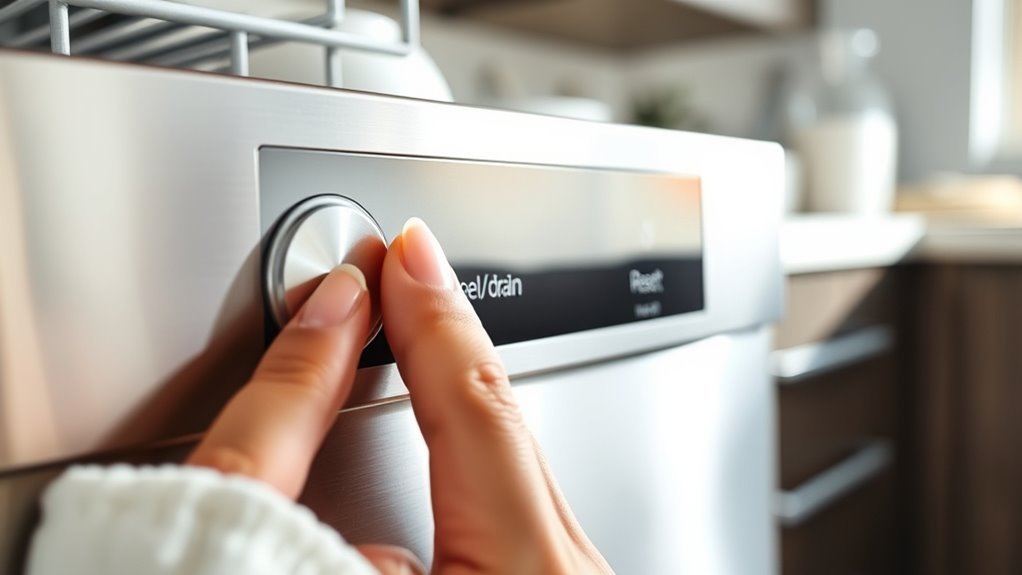
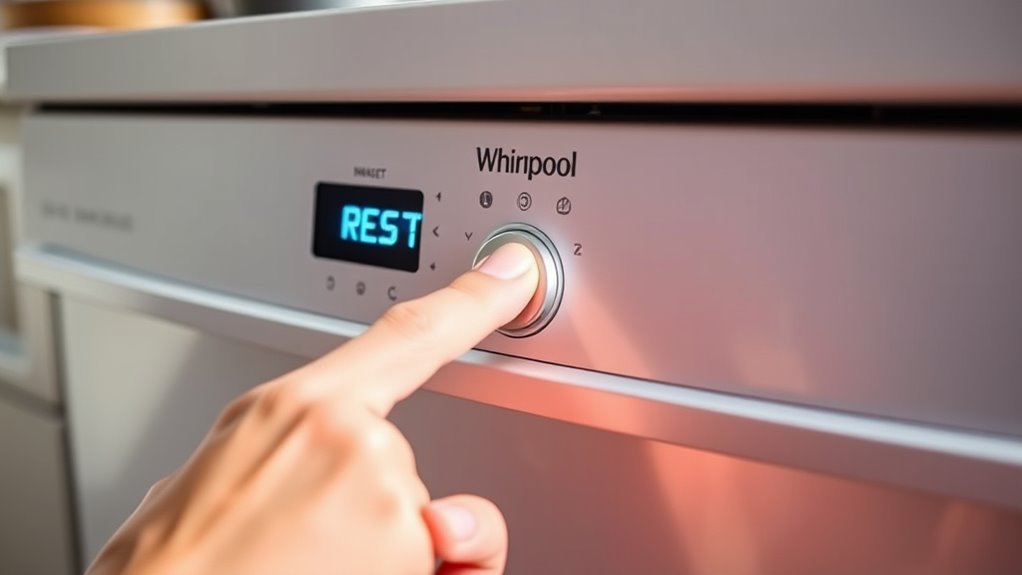
Alternatively, press and hold the reset or cancel button on the control panel for 3 to 5 seconds until it beeps or the display changes. A reset often clears errors and gets your dishwasher working again.
Keep exploring for more helpful tips and troubleshooting steps.
Key Takeaways
- Unplug the dishwasher or turn off the circuit breaker, wait 5 minutes, then restore power to reset the internal computer.
- Press and hold the reset button or relevant control panel buttons for 3-5 seconds until the display changes or you hear a beep.
- Identify and clear error codes using the “Cancel” or “Reset” button, or by power cycling the dishwasher.
- After resetting, run a short wash cycle to make sure everything’s working normally and the errors are gone.
- If problems stick around, clean the filters and check the door latches. If issues continue, it’s best to contact a technician.
How to Tell If Your Whirlpool Dishwasher Needs a Reset
Although dishwashers are usually pretty dependable, your Whirlpool model might need a reset if it starts acting up. You’ll notice some clear signs that something’s off.
For example, the dishwasher might not start at all or could stop mid-cycle without any explanation. Blinking lights or error codes on the control panel are common indicators that a reset might be needed.
If the buttons aren’t responding or the door lock feels stuck, those are also signs you should consider resetting it. Sometimes, the dishwasher won’t drain properly or won’t finish a cycle, hinting at a system glitch.
Keeping an eye out for these signs helps you know when a reset is necessary. Recognizing these early clues can save you from bigger problems and help keep your Whirlpool dishwasher running smoothly without needing repairs.
How to Manually Reset Your Whirlpool Dishwasher
If your Whirlpool dishwasher isn’t working quite right, don’t worry—you can often fix it with a quick reset. One easy way is to do a power cycle. Just unplug the dishwasher from the outlet or switch off the circuit breaker that supplies power to it. Then, give it a few minutes to rest—about 3 to 5 minutes should do the trick. After that, plug it back in or turn the breaker back on, and see if that does the trick.
Another method is to reset the control panel itself. This usually involves pressing a couple of buttons in a specific sequence—though the exact combination can vary depending on your model. Because of this, it’s a good idea to check your user manual for the right instructions. But generally, a quick control panel reset can clear any glitches and get your dishwasher up and running again.
Power Cycle Method
Start by unplugging your Whirlpool dishwasher or switching off its circuit breaker to cut power completely. This power cycle method helps clear any glitches by fully resetting the system.
Leave the dishwasher without power for about 5 minutes, which is the ideal reset duration to guarantee all residual energy dissipates. After waiting, plug it back in or turn the circuit breaker on.
This simple power cycle forces the appliance’s internal computer to reboot, often fixing minor errors and restoring normal function.
If your dishwasher’s display stays unresponsive or error codes keep showing after this reset, you might need to try other reset options.
Using the power cycle method regularly can help keep your Whirlpool dishwasher running smoothly without the need for complex troubleshooting.
Control Panel Reset
If the power cycle method doesn’t clear the issue, try resetting the control panel manually. This can often fix persistent errors or unresponsive displays. It’s a helpful step for troubleshooting and refreshes the control panel functions without doing a full power cut.
Here’s how you can do it:
- Press and hold the “Start/Reset” button for about 3 to 5 seconds until the dishwasher starts to drain or the display clears.
- Wait for a few minutes as the dishwasher completes the reset process.
- If your model has a control lock, make sure to disable it first so it doesn’t interfere with the reset.
This simple method often clears glitches and gets your dishwasher back to normal without the need for complex repairs.
Circuit Breaker Switch
One of the quickest ways to manually reset your Whirlpool dishwasher is by using the circuit breaker switch. This reset method cuts power to the dishwasher, allowing it to reboot and clear minor errors.
To do this safely, locate your home’s main electrical panel and find the circuit breaker labeled for the dishwasher. Flip the breaker switch off, wait about 30 seconds, then turn it back on.
This simple step can often fix many issues without needing tools or technical skills. Just follow these steps:
| Step | Action |
|---|---|
| 1 | Locate the dishwasher circuit breaker |
| 2 | Switch the breaker to “Off” |
| 3 | Wait 30 seconds |
| 4 | Turn the breaker back to “On” |
| 5 | Test the dishwasher operation |
Following this reset process can quickly restore your dishwasher’s normal function.
Reset Your Whirlpool Dishwasher Using the Control Panel
Accessing the control panel is the quickest way to reset your Whirlpool dishwasher without needing extra tools. The control panel functions are designed for easy operation, including built-in reset buttons to help clear errors and restart cycles.
To reset your dishwasher using the control panel, follow these steps:
- Locate the reset button or a combination of buttons specific to your model, often labeled “Cancel” or “Reset.”
- Press and hold the reset button for about 3-5 seconds until the display changes or the dishwasher beeps.
- Release the button and wait a few moments for the dishwasher to reset and clear any error codes.
This method resets your dishwasher’s internal systems without interrupting power. If your model lacks a dedicated reset button, check the manual for the correct control panel functions to initiate a reset.
Using the control panel reset helps quickly resolve minor glitches, allowing you to continue using your dishwasher efficiently.
How to Perform a Power Cycle Reset on Your Whirlpool Dishwasher
A power cycle reset can fix deeper issues by fully cutting off and restoring power to your Whirlpool dishwasher. To do this, first turn off the dishwasher using the control panel or by opening the door.
Next, locate your home’s circuit breaker panel and switch off the breaker that supplies power to the dishwasher. Leave it off for about one to two minutes to ensure all residual power drains, helping clear any error codes stored in the system.
After waiting, turn the breaker back on to restore power. Close the dishwasher door and press the start button to see if the appliance resets and runs normally.
Performing a power cycle reset is a good way to resolve persistent error codes and glitches that a simple control panel reset can’t fix. If the problem continues, it might be a sign of a deeper mechanical or electrical issue that needs professional help.
How to Reset Different Whirlpool Dishwasher Models
After trying a power cycle reset, you might find that different Whirlpool dishwasher models need specific steps to reset properly. Since Whirlpool models vary in their types and features, it’s important to check your user manual or troubleshooting guide for exact instructions.
Some models have dedicated reset buttons, while others rely on button sequences or control panel resets. Here’s a quick overview to help you understand these differences:
- Standard models: Press and hold the “Start/Reset” button for 3-5 seconds to reset.
- Touchpad models: You may need to press certain buttons simultaneously, like “Heated Dry” and “Normal Wash,” to trigger a reset.
- Smart models: Use the Whirlpool app or the control panel to perform resets remotely or manually.
How to Reset Your Whirlpool Dishwasher When Error Codes Show Up
When error codes show up on your Whirlpool dishwasher, it’s important to fix them quickly to avoid more problems. Start by checking your user manual or Whirlpool’s website to find out what the specific code means and what’s causing it.
Most common codes are linked to water supply issues, drainage problems, or door latch troubles. Once you know what’s wrong, you can try resetting the dishwasher to clear the error.
A simple reset method is pressing the “Cancel” or “Reset” button on the control panel. If your model doesn’t have these buttons, try unplugging the dishwasher or turning off its circuit breaker for about 5 minutes.
This power cycle helps clear temporary glitches related to the error code. After resetting, run a short cycle to see if the error has disappeared.
What to Try When Resetting Doesn’t Fix Your Dishwasher
If resetting your Whirlpool dishwasher didn’t do the trick, chances are you might be facing some pretty common issues like a clogged filter or a faulty door latch. Take a quick look at these parts—clean out any debris you find or see if the latch needs a little adjustment. Sometimes, a simple fix like that can get things back on track.
But if you’ve checked everything and it’s still not working, it might be time to call in a professional. A technician can diagnose the problem more thoroughly and help get your dishwasher running smoothly again.
Common Dishwasher Issues
Although resetting your Whirlpool dishwasher often fixes minor glitches, some issues might need a closer look. If your dishwasher isn’t draining properly or makes strange noises, just resetting won’t always solve the problem.
Check for common issues like drainage problems. Inspect the drain hose for clogs or kinks, and clean the filter and garbage disposal connection to ensure everything flows smoothly.
If your dishwasher is noisy, look for loose parts, a worn-out motor, or debris caught in the spray arm. These can cause unusual sounds during operation.
When the cycle won’t start or finish, make sure the door latch is secure and the control panel is responsive. These simple checks can often get things back on track.
When To Call Technician
Resetting your Whirlpool dishwasher can fix many minor problems, but if issues keep happening, it’s probably time to call in a pro.
If your dishwasher still won’t drain, doesn’t start, or shows error codes after a reset, it’s a good idea to contact a technician. They’ll do thorough diagnostic checks to find the real cause, whether it’s electrical, mechanical, or sensor-related.
Trying to do advanced repairs without the right tools or knowledge can make things worse. Getting professional help early ensures your dishwasher gets the proper fix quickly, saving you time and hassle.
Don’t wait if simple resets don’t get your dishwasher back to normal. A technician can often prevent bigger, more expensive repairs down the line.
Maintenance Tips to Avoid Frequent Whirlpool Dishwasher Resets
To keep your Whirlpool dishwasher running smoothly and avoid frequent resets, regular maintenance is key. Performing simple tasks can help prevent malfunctions that lead to resets and extend the lifespan of your machine.
Start by cleaning the filter, spray arms, and door seals regularly. This prevents clogs and buildup that can cause issues during cycles. It’s a quick step that makes a big difference.
Next, choose the right cycle for your load size and soil level. This helps avoid overworking the dishwasher and reduces wear and tear. Proper cycle selection keeps everything running efficiently.
Also, don’t overload the dishwasher and always use the recommended detergent. Overloading can cause malfunctions, and the right detergent ensures optimal cleaning without stressing the machine.
Familiarize yourself with basic troubleshooting tips. Addressing minor issues early on can prevent larger problems and unnecessary resets.
Common Whirlpool Dishwasher Problems a Reset Can Fix
Keeping up with regular maintenance helps prevent many issues, but sometimes your Whirlpool dishwasher may still run into problems that a simple reset can fix.
Common dishwasher problems like unresponsive controls, cycle interruptions, or failure to start can often be fixed by resetting the appliance. If your dishwasher shows error codes or behaves erratically, a reset can clear minor glitches in the system’s software.
Resetting your dishwasher often resolves unresponsive controls, cycle issues, and error code glitches quickly.
When you notice these signs, try reset troubleshooting tips such as turning off power at the circuit breaker for a few minutes or pressing the reset button if your model has one.
This process helps refresh the dishwasher’s control board, allowing it to work properly again. By addressing these common problems with a reset, you can avoid unnecessary service calls and get your dishwasher running smoothly again in no time.
When to Call a Technician Instead of Resetting
Although many issues can be fixed with a simple reset, you should call a technician when your Whirlpool dishwasher keeps showing persistent problems or complex error codes. When diagnosing issues gets tricky, trusting a professional ensures everything is handled properly and prevents further damage.
Here are some key signs to reach out to a pro instead of just resetting:
- Repeated error codes that don’t clear after resets
- Unusual noises or leaks that point to mechanical faults
- Failure to start or finish cycles even after multiple resets
If you notice any of these, it’s best not to guess what’s wrong. A skilled technician can accurately diagnose the problem, do the necessary repairs, and keep your dishwasher working smoothly.
Trying to fix complex issues yourself can risk costly damage. Instead, schedule a technician to get expert help, especially if resets don’t solve the problem. This saves you time and helps keep your Whirlpool dishwasher in top shape.
Frequently Asked Questions
What Detergents Work Best With Whirlpool Dishwashers?
You’ll get the best cleaning performance in your Whirlpool dishwasher by using high-quality detergent types like powder, gel, or pods designed specifically for dishwashers. Pods are super convenient and often give consistent results, while powders let you control how much you use.
Avoid regular dish soap because it can cause suds and damage your dishwasher. Choosing detergents with enzymes and rinse aids can really boost cleaning power, leaving your dishes spotless every time.
How Long Is the Warranty on Whirlpool Dishwashers?
You’d think Whirlpool dishwashers come with a lifetime superhero warranty, but it’s actually a solid one year of warranty coverage for parts and labor.
To make sure you’re fully protected, don’t skip the appliance registration after purchase. It’s like activating your dishwasher’s superhero shield.
Registering helps Whirlpool track your model and speeds up any service or claim. So, act fast and keep your appliance happily covered!
Can I Install a Whirlpool Dishwasher Myself?
Yes, you can install a Whirlpool dishwasher yourself if you follow some installation tips carefully.
Make sure you turn off the power and water supply before starting. Check the manual for proper connections and measurements.
If you run into any troubleshooting issues, double-check your plumbing and electrical connections.
Taking your time and following instructions will help you avoid mistakes and get your dishwasher up and running smoothly.
Are Whirlpool Dishwashers Energy Efficient?
Yes, Whirlpool dishwashers are energy efficient, often using up to 30% less water and electricity than older models. You’ll appreciate their energy-saving features and eco-friendly settings that cut down on waste while still getting your dishes spotless.
Their efficient water usage helps reduce utility bills, making operation cost-effective. So, if you want a reliable appliance that saves money and supports sustainability, a Whirlpool dishwasher is a smart choice.
What Is the Average Lifespan of a Whirlpool Dishwasher?
You can expect your Whirlpool dishwasher to last around 9 to 12 years with proper care.
Following maintenance tips, like regularly cleaning filters and checking spray arms, helps prevent common problems such as clogs or poor drainage.
Staying on top of these tasks not only extends your dishwasher’s lifespan but also keeps it running efficiently.
If you notice issues early and address them, you’ll get the most out of your appliance.
Conclusion
Resetting your Whirlpool dishwasher might seem like a quick fix, but it’s more than just pressing a button—it’s a way to restore order to your kitchen chaos. A reset can often solve common problems, but don’t rely on it as a fix for everything.
Sometimes, what seems like a small glitch could be a sign that you need professional help. Knowing when to reset and when to call a technician is key to keeping your dishwasher running smoothly and your stress low.