
What Is the Busiest Time at a Restaurant? Complete Guide to Peak Hours and Days
The busiest times at a restaurant usually center around lunch and dinner hours, with peak activity typically occurring between 11:30 a.m. And 1:30 p.m. For lunch, and 6 p.m. To 8:30 p.m. For dinner. These windows reflect when most customers prefer dining out, often causing the highest traffic and demands on staff and kitchen resources. Understanding what is the busiest time at a restaurant helps you manage operations, staffing, and customer satisfaction more effectively.
This information is essential for restaurant managers, owners, and staff who want to optimize service and profitability. You will find insights on peak hours and days, how holidays change busy patterns, handling meal prep times, and strategies to prepare for and ease rush periods to keep your restaurant running smoothly.
Key Takeaways
- Lunch and dinner hours between 11:30 a.m., 1:30 p.m. And 6, 8:30 p.m. Represent the busiest times for most restaurants.
- Weekends and specific holidays like Mother’s Day see significantly higher restaurant traffic and special menu demand.
- Brunch attracts about 28% of diners, and breakfast draws roughly 13%, offering additional busy periods to plan for.
- Staff scheduling should cover peak 90-minute service windows identified from recent sales data to prevent overload.
- Offering gift cards post-holiday can attract new customers and encourage repeat visits.
- Crowds tend to thin near closing time, making late visits less optimal for both diners and restaurants.
When Are Restaurants Typically at Their Busiest?

Restaurants typically experience their busiest periods during traditional meal times: breakfast, lunch, and dinner. Breakfast peak hours usually span from 7 a.m. To 9 a.m., with about 13% of consumers choosing to dine out during this meal. Brunch, which overlaps breakfast and lunch hours, often extends from 10 a.m. To 2 p.m. Lunch sees a higher surge, peaking between 11 a.m. And 1 p.m. This window captures roughly 45% of dining visits, making it one of the busiest times on most weekdays. Dinner hours tend to start around 5 p.m. And can last as long as 9 p.m., with 47% of consumers dining out for this meal. These time blocks are where restaurants can generate two to three times the revenue per hour compared to off-peak times.
Weekdays often show a concentrated rush during lunch hours, especially from 11:30 a.m. To 1:30 p.m., when many workers take their lunch break. Dinner service gains steady traction post-5 p.m., peaking around 7 p.m., which is considered prime time for dinner reservations. On weekends, particularly Saturdays, the busy periods extend even longer. Saturday combines the lunch (11 a.m. To 2 p.m.), dinner (5 p.m. To 9 p.m.), and late-night (10 p.m. To 1 a.m.) busy windows, making it the busiest day overall. Late-night hours on Fridays and Saturdays, especially in markets with active bar or college scenes, account for a significant portion of overall weekly order volume, due to food delivery demand and diner traffic extending past typical dinner times.
Outside of these peak blocks, restaurants experience quieter times. Mid-morning after breakfast (around 9 a.m. To 11 a.m.) and mid-afternoon between lunch and dinner (approximately 2 p.m. To 5 p.m.) typically see lower customer volumes. Late at night after the dinner rush ends, usually post-9 p.m. On weekdays, is another less busy period. Avoiding peak hours, such as steering clear of 12 p.m. To 1:30 p.m. At lunch or 7 p.m. To 8:30 p.m. At dinner, can lead to quicker service and a less crowded dining experience.
Understanding these busy times helps managers schedule staff efficiently and prepare kitchens for high plate volumes without overstaffing during slow hours. During peak meal times, maintaining speed and quality service requires pre-planning inventory, prepping ingredients, and perhaps streamlining menus. Conversely, during slower hours, it’s more cost-effective to reduce staffing or focus on other tasks. Balancing staff and service throughout these windows can prevent overload during rush hours and lead to better customer satisfaction and higher revenue.
Which Days of the Week See the Most Restaurant Traffic?
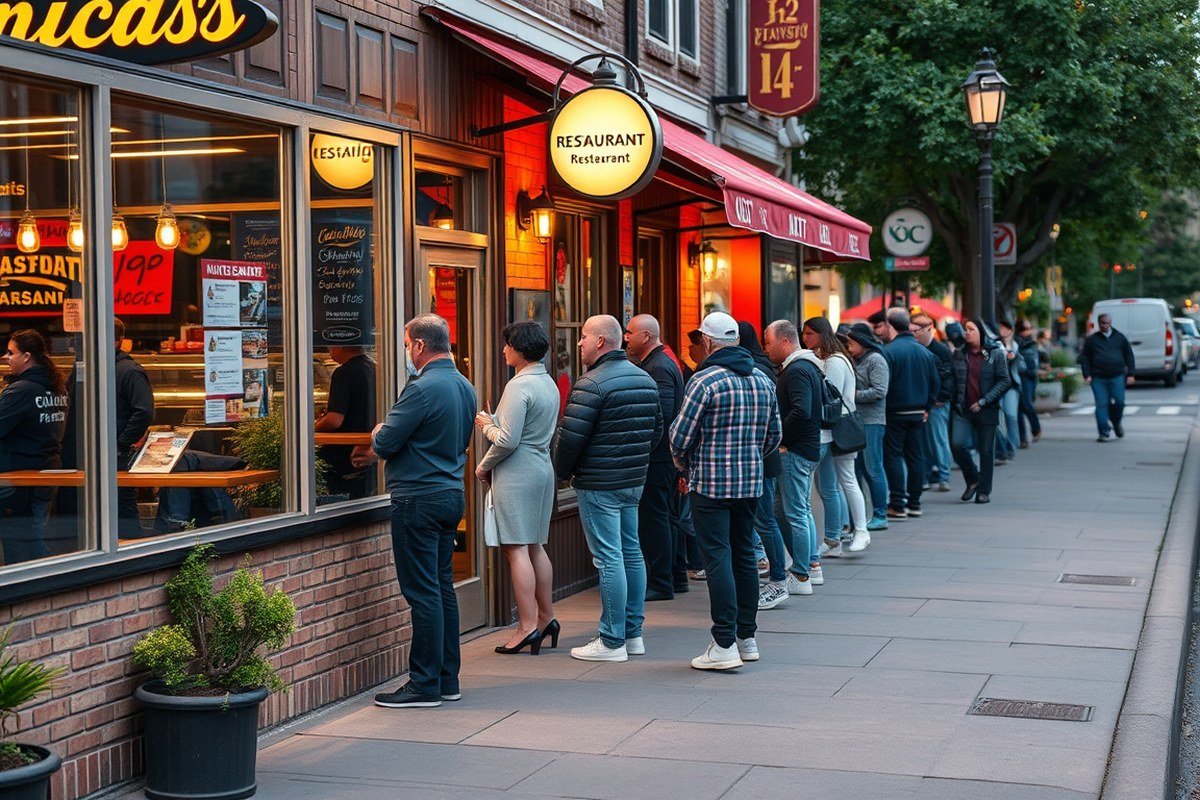
Understanding which days attract the most restaurant customers helps you plan staffing, inventory, and promotions more effectively. Fridays and Sundays consistently rank among the busiest days for restaurant traffic, especially for delivery services. Weekends generally bring more customers than weekdays, but Sunday demand can have higher peaks similar to Fridays, while Saturday sometimes sees fewer orders than expected. This pattern reflects customer habits: Fridays and Sundays often link to social dinners and family meals, while weekdays can have steadier, less intense flows. The table below shows the distribution of the top 100 busiest delivery days in 2024, highlighting how Fridays and Sundays lead, followed by Saturdays and other weekdays.
| Day of the Week | Number of Days in Top 100 | Typical Customer Behavior |
|---|---|---|
| Friday | 40 | Evening social outings and weekend start, high dinner delivery demand |
| Sunday | 39 | Family meals and weekend closing, strong delivery and dine-in service |
| Saturday | 20 | Varied: brunch and early dinners, sometimes less delivery volume |
| Weekdays (Mon-Thurs) | 1 | Generally lower volume, mainly lunch and moderate dinner traffic |
This breakdown shows Friday and Sunday are almost equally busy and dominate peak delivery demand, while Saturday and weekdays follow behind. Weekday restaurant traffic tends to be steadier but less intense, with lunch service playing a bigger role. Customer behavior on weekdays usually includes more predictable lunch visits and smaller dinner crowds. On weekends, people plan special meals or relax at home with delivery, pushing volume higher.
Plan flexible staffing and extend prep times on Fridays and Sundays to handle delivery surges and avoid long wait times during your busiest periods.
Knowing these patterns lets you tailor your operations by increasing staff on Fridays and Sundays and offering targeted promotions. For example, running a Friday night special can attract diners ready to start the weekend, while Sunday family meal deals may boost dine-in or takeout orders. Low weekday traffic offers chances to test new menu items or build customer loyalty programs without high pressure.
How Do Holidays and Special Events Impact Restaurant Crowds?
Holidays and special events significantly influence restaurant traffic, driving spikes in both dine-in and delivery volumes. Recognizing the busiest occasions helps you prepare kitchen staff, manage orders efficiently, and optimize your marketing efforts. Offering special menus and adjusting staffing based on these peak times can improve customer satisfaction and revenue.
Top 8 Busiest Restaurant Holidays
The busiest holidays for dine-in and takeout typically include a mix of traditional celebrations and popular special events. Mother’s Day, Valentine’s Day, Christmas, and New Year’s Day stand out with heavy restaurant traffic. Mother’s Day especially drives demand for special menus, with 39% of diners choosing restaurants that offer them. Christmas and New Year’s Day top the list for food delivery orders consistently.
Super Bowl Sunday is unique, as it doesn’t usually bring a rush of dine-in guests but ranks as one of the biggest takeout and delivery days, due to widespread home viewing parties. Adjusting for these differences is key for managing staffing and food preparation.
- Christmas Day, highest for food delivery
- New Year’s Day, heavy delivery and dine-in volumes
- Mother’s Day, high dine-in traffic, special menus matter
- Valentine’s Day, popular for dinners, couples dining out
- Super Bowl Sunday, peak takeout and delivery, low dine-in
- Father’s Day, growing dine-in and takeout demand
- Restaurant Week (varies locally), increased reservations and traffic
- Thanksgiving (especially takeout), growing trend for restaurant meal orders
Recognizing these dates lets you plan ahead, schedule extra staff, and prepare inventory to avoid shortages during peak times.
Delivery Demand Peaks on Special Events
Food delivery surges dramatically on major holidays. DoorDash Marketplace data from 2024 shows Christmas and New Year’s Day consistently generate the most delivery orders. Nearly half of customers plan to order entire holiday meals from restaurants, according to Technomic.
Other key events such as the Super Bowl and Mother’s Day boost delivery volumes as many families and groups prefer to celebrate at home. Efficient order flow, integrated delivery software, and real-time monitoring of ticket times and guest feedback help keep operations smooth during these spikes.
Ensure your POS system and delivery platforms are optimized to handle sudden volume increases. Real-time insights allow your kitchen and delivery staff to adjust rapidly, preventing delays and maintaining food quality.
Seasonal Trends Affecting Holiday Traffic
Seasonal patterns influence when guests visit and order from restaurants during holidays. Cold weather in winter months tends to increase delivery and takeout, as customers prefer staying indoors. Warmer periods around holidays like Father’s Day see more dine-in visits as people gather outdoors or at venues offering special menus.
Special menus tailored to holidays such as Mother’s Day and Valentine’s Day attract more diners and justify premium pricing. Marketing campaigns highlighting these menus and promotions further encourage reservations and orders.
Failing to account for these seasonal variations can lead to understaffing or excess inventory, resulting in longer wait times or wasted food. Strategic planning aligned with seasonal customer habits makes holiday operations more efficient and profitable.
What Is the 30/30/30 Rule and Why Does It Matter?
The 30/30/30 rule is a strict operational guideline restaurants use to ensure readiness before the busiest service times. It requires every station in the kitchen and service area to be fully prepped and inspected exactly 30 minutes before the first reservation or customer arrival. This cutoff helps the kitchen and front of house start the rush at full capacity, not 70% or less, by giving a realistic buffer to restock, remake items, and double-check setup.
Following this rule improves service during peak times by locking in kitchen line readiness and preventing last-minute scrambling. When stations are complete and backup mise en place is ready a full half hour before guests arrive, orders flow more smoothly from tablet to kitchen. This reduces delays, mistakes, and the risk of sold-out items being listed live. The rule also helps staff bandwidth, letting cooks and servers manage tasks efficiently during the busy wave of diners.
To implement the 30/30/30 rule, you need clear steps to prepare and verify readiness on time. The process requires coordination and discipline but saves time and stress during peak service. Here is a straightforward sequence that restaurant managers and kitchen leads can follow to apply the rule consistently:
- Set a hard cutoff time for when all stations must be ready, 30 minutes before the first reservation.
- Complete all prep work for the line and service stations, including mise en place for popular dishes and restocking condiments and garnish.
- Inspect each station to confirm equipment is clean, stocked, and functioning, check the pass-through area to ensure it’s clear.
- Verify live menu availability to prevent showing sold-out items that create confusion during service waves.
- Communicate the readiness status to the whole team so cooks and servers know when the kitchen is locked in and ready to start receiving orders.
- Prepare backup mise en place so the kitchen can handle remakes or unexpected demand without delays.
- Monitor order flow during the rush and adjust staffing or pacing to avoid bottlenecks at the expo or delivery handoff.
This rule’s main cost is the time and attention staff must dedicate before opening or the rush window, but it pays off by greatly reducing service slowdowns and order errors. Without it, the kitchen often begins the busy period underprepared, which causes longer wait times and frustrates both staff and guests. Variations may occur depending on the restaurant size, menu complexity, and staff experience, but maintaining a 30-minute buffer before service starts is a proven way to keep operations smooth.
How Can Restaurants Prepare Staff and Service for Peak Times?
Preparing staff and service for peak times means scheduling enough team members, training them thoroughly before busy shifts, and keeping communication clear during the rush. Adding around 20% to 30% extra staff above normal levels helps handle spikes in orders, while targeted training and real-time communication reduce errors and delays.
Staff Scheduling and Overtime Planning
To cover peak hours effectively, increase staff numbers by about 20% to 30% over standard shifts, depending on the restaurant’s size and typical customer load. Part-time workers can fill this gap without long-term cost increases, or you can offer overtime to experienced employees for reliability. Tracking historic traffic data helps pinpoint which days and hours need extra coverage.
Schedule kitchen and front-of-house staff separately if possible. For example, add two cooks and one line prep per five servers during rush periods to keep kitchen flow smooth. Don’t forget support roles like bussers and hosts, since rush demand grows in every service area.
- Use scheduling software to compare peak demand trends and adjust shifts accordingly
- Offer incentives like extra pay or bonuses for overtime on the busiest shifts
- Maintain a small on-call pool for last-minute coverage
- Avoid understaffing to reduce burnout and maintain service quality
- Maintain flexibility with shift swaps to accommodate unexpected changes
Failing to add the right number of extra staff risks long wait times and stressed employees, which leads to poorer service and lower customer satisfaction.
Pre-Shift Communication Best Practices
Clear communication before busy periods lets staff prepare mentally and physically for the rush. Hold brief pre-shift meetings 10 to 15 minutes before opening or peak service to review the expected crowd size, menu changes, and any special promotions. Use this time to assign roles clearly and address questions. During these meetings, focus on these points:
- Confirm each worker’s responsibilities and station
- Review any new menu items or ingredient shortages
- Set goals for service speed and customer interaction
- Remind staff about maintaining calm and teamwork under pressure
- Share updates on delivery orders if relevant
Document the meeting highlights in a shared location or messaging app so team members can access them throughout the shift. This keeps everyone on the same page and reduces confusion.
Using Technology to Improve Coordination
Implement digital tools to streamline workflow and communication during peak service. Point-of-sale systems that integrate with kitchen display screens improve order accuracy and speed by reducing handwritten tickets. Messaging apps or headsets allow instant contact between front- and back-of-house staff without shouting across busy floors.
Ordering tablets at quick service counters let customers place their own orders, cutting down line wait times and easing server workload. Online ordering platforms that handle pickup and delivery separately free up kitchen bandwidth for dine-in customers.
- Use kitchen display systems to track and prioritize orders
- Equip servers with mobile devices for transmitting orders directly
- Set up group chat channels for team announcements and alerts
- Integrate reservation and waitlist apps to reduce front-door traffic jams
- Monitor real-time data to adjust staffing during the shift if needed
Without technology integration, staff may struggle to keep track of high order volumes and customer requests, leading to slower service and mistakes.
Cross-Training Employees for Versatility
Teaching employees multiple roles boosts flexibility and morale during busy times. For example, servers trained in basic hostess duties can assist with seating when the front desk is crowded. Kitchen staff who know prep and cooking phases can help balance workload as orders spike.
Cross-training takes time but pays off by reducing bottlenecks and allowing quicker adjustments to fluctuating demands. Train staff during slower shifts using step-by-step demonstrations, shadowing, and quizzes to confirm skills.
- Rotate team members through different stations regularly
- Provide written procedures and checklists for each role
- Encourage teamwork and open feedback during busy shifts
- Recognize and reward employees who master multiple skills
- Schedule refresher training before high-volume seasons
Keep training practical and focused so employees feel confident switching roles without disrupting service flow.
What Menu Adjustments Help During the Busiest Hours?
Streamlining your menu and introducing targeted specials during the busiest hours can significantly speed up service and increase customer throughput. Simplifying choices reduces order complexity for both guests and kitchen staff. Special offerings and loyalty incentives help maintain steady customer interest without overwhelming kitchen capacity.
Simplify Menu Options
Trimming your menu during peak times focuses the kitchen on fewer dishes, which helps speed up preparation and reduces errors. Removing less popular or time-intensive items cuts wait times and improves order accuracy. Keep core favorites that are quick to prepare and have consistent customer demand.
Offering a condensed version of your regular menu during rush hours requires planning to identify top sellers and items that share ingredients or preparation methods. This streamlining helps kitchen staff move efficiently and avoid bottlenecks.
Add Limited-Time Specials
Introducing limited-time specials during slower or transitional hours can balance kitchen workload and extend customer flow beyond peak times. These specials should be simple to prepare and use ingredients already on hand to avoid inventory strain.
Limited-time menus or happy hour bundles are effective ways to attract customers without complicating kitchen operations. Promotions tied to these specials can encourage early or staggered dining, easing peak period pressure.
- Create bundle meals using popular items with fixed prices.
- Feature single-ingredient add-ons like a dessert or cocktail for a limited time.
- Offer special comfort dishes or seasonal flavors to appeal during holidays.
- Promote discounts for orders placed during slower periods to balance traffic.
- Use time-based offers that reflect kitchen capacity to avoid overloading staff.
Offer Quick-Prepare Dishes
Prioritize menu items that can be prepared and served within a short timeframe, typically under 10 minutes. Dishes that involve minimal cooking steps or use ready-to-serve ingredients speed up turnaround and improve table turnover rates.
A menu focused on quick-prepare dishes helps maintain a smooth service flow during rush hours. Consider pre-cooked or partially assembled components that only require final touches before serving.
Promote Loyalty and Gift Cards
Using loyalty programs and gift card promotions can boost repeat business and encourage advanced ordering, which eases pressure during busy times. Targeted deals for loyalty members, like exclusive discounts or rewards, foster customer loyalty and smooth demand spikes.
Gift cards, especially digital ones, not only attract new customers but also generate revenue before peak seasons. Offering incentives such as “buy $100, get $20 free” can increase average spending and create returning guests.
How Do Delivery and Takeout Patterns Differ from Dine-In Traffic?
Delivery and takeout peak hours often differ from the busiest times for dine-in customers. Delivery demand usually spikes around lunch, specifically from 11:00 a.m. To 1:00 p.m., and again during dinner rush hours, generally between 5:30 p.m. And 8:00 p.m. These windows align closely but are often narrower than dine-in peaks, which can stretch before and after those times. Takeout orders spike similarly but tend to have more consistent volume over the evening than delivery. Friday and Saturday nights experience the highest delivery and takeout volumes, putting extra pressure on kitchens during these periods.
To manage these different patterns effectively, restaurants need to carefully coordinate kitchen operations. Preparing ingredients and packaging ahead of these peak windows reduces wait times and prevents order errors. Keeping staff informed about expected surges helps balance labor resources and maintain quick turnaround for both dine-in and off-premise orders. Knowing when delivery orders peak allows the kitchen to stagger order prep and optimize cooking flows. Below is a table summarizing typical peak order times for delivery, takeout, and dine-in service based on common nationwide patterns:
| Order Type | Peak Time(s) | Busiest Days | Key Considerations |
|---|---|---|---|
| Delivery | 11:00 a.m., 1:00 p.m., 5:30 p.m., 8:00 p.m. | Friday, Saturday evenings | Stock ingredients early; package orders efficiently; manage labor for high volume |
| Takeout | 11:00 a.m., 1:00 p.m., 5:00 p.m., 8:00 p.m. | Fridays and weekends | Prep packaging materials and core ingredients; streamline counter service |
| Dine-In | 12:00 p.m., 1:00 p.m., 6:00 p.m., 7:00 p.m. | Busy weekdays and weekends | Balance front-of-house staffing; maintain table turnover; kitchen timing critical |
Successful synchronization involves assigning kitchen staff to separate stations handling dine-in versus off-premise orders or rotating roles based on peak flow. For example, during Friday night dinner rush, keep a dedicated prep line for delivery and takeout to avoid bottlenecks. Encourage early ordering through promotions or online scheduling, especially on Fridays, Saturdays, and event nights, to spread demand more evenly.
Risks arise when delivery and takeout orders peak simultaneously with dine-in crowds without proper preparation. Delays in the kitchen increase, customer satisfaction drops, and labor costs inevitably rise due to overtime or rushed staffing. Analyzing past order data weekly or monthly guides stock levels and staffing decisions, ensuring you have enough proteins, packaging, and trained employees before high-volume days. This proactive approach helps maintain quality across all order types and improves overall operational efficiency.
When and How Should Restaurants Manage Overload During Rush Periods?
Stopping new orders is appropriate when your kitchen and service teams reach full capacity, and adding more orders would degrade the quality or increase wait times beyond acceptable limits. A common decision rule is to pause orders once your estimated wait time exceeds 45 minutes or when there are more than 10 outstanding orders in the queue. This ensures you maintain service quality and avoid overwhelming your staff.
Managing customer flow effectively requires clear communication and structured steps. Start by training your host or front-of-house staff to notify waiting customers of current wait times honestly and politely. Use digital tools, like POS-integrated waiting lists or online reservation systems, to monitor and control incoming guests. When your kitchen signals overload, have the host pause accepting walk-ins and communicate this online and on-site. If your restaurant allows order-ahead options, encourage that to smooth peaks.
- Set a clear maximum for active orders based on kitchen capacity (e.g., 10 orders simultaneously).
- Train hosts to update customers regularly with accurate wait times.
- Use technology to track orders and customer flow in real-time.
- Pause new walk-in seating politely once capacity is reached.
- Promote order-ahead options to pre-schedule demand.
- Provide staff with scripted responses to explain wait times clearly.
- Prepare to reopen order-taking once the backlog drops below threshold.
A step-by-step process looks like this: monitor orders continuously; when active orders approach your set maximum, inform hosts to pause new orders; host communicates the pause to customers both in-person and via digital channels; kitchen focuses on current orders without adding strain; once backlog decreases to a manageable level, gradually resume accepting new orders. This cycle helps reduce chaos and keeps service predictable.
Never leave customers uninformed during rush periods; honest, repeated updates prevent frustration and reduce complaints.
Common mistakes during overload include failing to communicate wait times clearly, which causes customer frustration and negative reviews. Another error is continuing to accept orders beyond kitchen capacity, resulting in poor food quality and delayed service. Also, neglecting to use technology like real-time order tracking can cause disorganization and errors. Balancing order volume by pausing new requests at the right time preserves experience quality and staff morale.
Your Quick-Start Plan for Managing Restaurant Peak Times
Adjusting your operations around the busiest restaurant hours can improve service and boost profits. Use this plan to get started right away.
- Before the Week Starts: Review last week’s sales and foot traffic data to identify your peak days and times. Confirm these with your staff and reservation records.
- Day 1: Schedule extra staff for identified peak hours and train them on speed and efficiency tactics. Observe if wait times improve during shifts.
- Week 1: Simplify your menu offerings during rush hours by highlighting faster-prep items. Track order completion times and customer feedback on menu choices.
- Week 2: Promote delivery and takeout options during peak dine-in hours to reduce in-house congestion. Measure changes in delivery volume and dine-in wait times.
- Ongoing: Monitor special events and holidays on your calendar and increase staffing and inventory accordingly. Use guest counts and sales as key checkpoints.
- Monthly: Hold a staff meeting to review what’s working and adjust schedules or menu items based on busy-hour performance data.
Frequently Asked Questions
What Is the Busiest Time at a Restaurant?
The busiest time is usually dinner hours, around 6 to 8 p.m., when most diners come in after work. This timing allows staff to prepare for a steady flow and manage peak demand efficiently.
What Are the Busiest Days at a Restaurant?
Fridays and Saturdays are generally the busiest days, especially for dinner service, driven by weekend dining habits. Weekend demand also spikes food delivery orders significantly.
What Is the 30/30/30 Rule for Restaurants?
The 30/30/30 rule splits a restaurant’s service time into three equal parts to manage prep, peak service, and cleanup. This helps organize staff and resources efficiently during busy periods.
What Time Are Restaurants Least Busy?
Restaurants are least busy mid-afternoon, between 2 and 4 p.m., after lunch rush and before dinner starts. This downtime is ideal for staff breaks and prep for the evening rush.
What Is the Slowest Day in the Restaurant Industry?
Tuesdays and Wednesdays typically see the least traffic for most restaurants, providing a breather between weekend and midweek customers. Staffing can be adjusted accordingly on these days.
How Do Weather Changes Affect Restaurant Traffic?
Bad weather often reduces dine-in traffic but can increase delivery orders as people avoid going out. Restaurants should staff delivery drivers accordingly during storms or heavy rain.
Key Points to Remember
Knowing your restaurant’s busiest times lets you control how you staff and serve guests effectively. Start by analyzing your recent traffic patterns today and adjust your schedule accordingly. Taking this step now can reduce stress during rush hours and improve your customers’ dining experience.


2 Comments